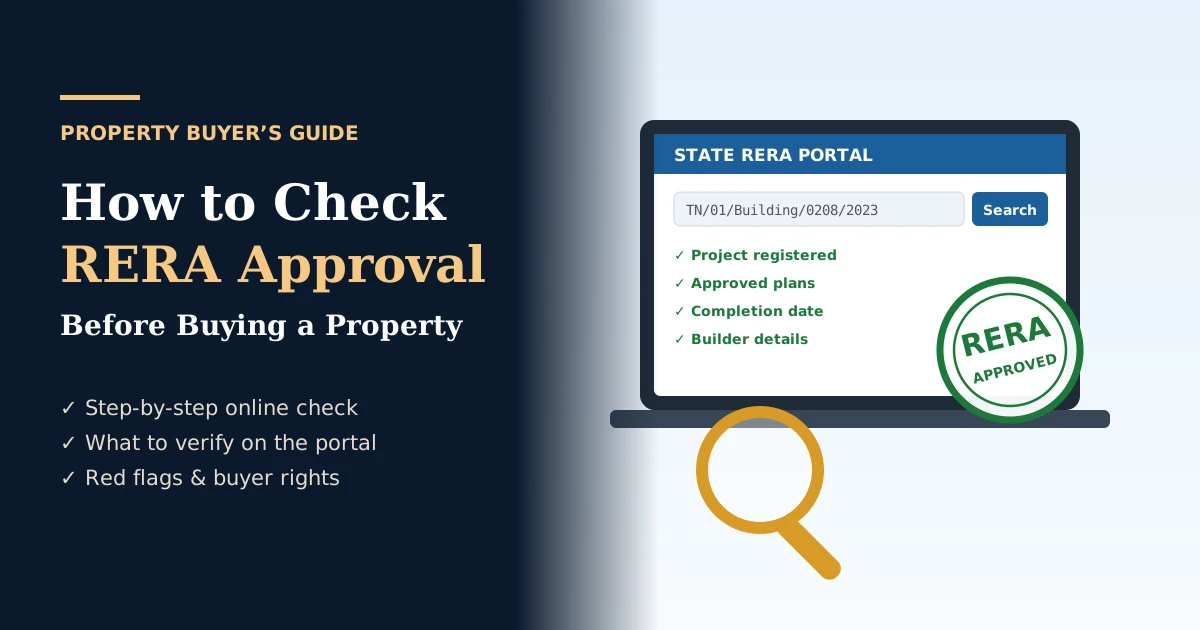
To check RERA approval, visit your state’s official RERA website (for Tamil Nadu, the TNRERA portal), open the registered projects section, and search by the project’s RERA registration number, project name, or builder name. If the project is registered, you’ll see its details, approvals, and completion timeline. If it doesn’t appear, ask the builder for proof before you pay anything.
Buying a home or plot is one of the biggest financial decisions you’ll make. Checking RERA approval is one of the simplest ways to protect that investment. It takes only a few minutes, and it tells you whether the project is legally registered, what the builder has promised, and when it’s due for completion.
What Is RERA Approval?
RERA stands for the Real Estate (Regulation and Development) Act, 2016. Under this law, each state has a Real Estate Regulatory Authority that registers real estate projects and agents.
A RERA-approved property means the project is registered with the state RERA authority. Each registered project gets a unique RERA registration number, which the builder must display in all advertisements and brochures.
Why Checking RERA Approval Matters
- Confirms the project is legal: Registration requires the builder to submit land titles, approvals, and plans.
- Gives you transparency: Project details, layout, and timelines are publicly available.
- Protects your money: Builders must keep a large share of buyers’ money in a separate account for that project.
- Gives you a way to complain: If the builder delays or breaks promises, you can approach the RERA authority.
How to Check RERA Approval Online: Step by Step
- Get the RERA registration number. Ask the builder, or find it on the brochure, website, or advertisement. Registered projects must display it.
- Visit your state’s official RERA website. For property in Chennai and Tamil Nadu, use the official Tamil Nadu RERA (TNRERA) portal. Make sure you’re on the government website, not a look-alike.
- Open the registered projects section. Look for a menu such as “Registered Projects” or “Project Search.”
- Search for the project. Enter the RERA number, project name, or promoter (builder) name, and filter by district if needed.
- Open the project details. Check that the project name, builder, location, and RERA number match exactly what you were told.
- Review the documents. Look at the approved layout or building plan, approvals, land title details, and the declared completion date.
- Save a copy. Download or screenshot the project page for your records.
Example of a Tamil Nadu RERA number
Tamil Nadu RERA numbers follow set formats. Older registrations look like TN/01/Building/0208/2023 (Adityaram Palace City on ECR), showing the state, region code, project type (Building or Layout), serial number, and year. Newer registrations look like TNRERA/1/LO/3867/2026 (Adityaram Crown Phase 2), where “LO” stands for a layout (plotted) project. Search the portal with the number exactly as the builder gives it.
What to Check on the RERA Project Page
| Detail | What to look for |
| Project and builder name | Matches the brochure and sale agreement exactly |
| RERA registration number | Same number the builder gave you |
| Location and survey numbers | Match the land you’re buying |
| Approved plans | Layout or building plan approved by CMDA, DTCP, or the local body |
| Completion date | The date the builder has committed to |
| Project progress updates | Regular progress reports filed by the builder |
| Complaints or cases | Any complaints or legal disputes listed against the project |
How to Check a Real Estate Agent’s RERA Registration
Real estate agents who sell registered projects must also register with RERA. On the same state RERA website, look for the “Registered Agents” section and search by the agent’s name or registration number.
Red Flags to Watch For
- The builder won’t share the RERA number, or says it’s “in process” while already taking bookings.
- The project name, address, or builder name on the RERA site doesn’t match the brochure.
- The RERA number shown in the ad doesn’t exist on the official portal.
- The builder asks for a large advance before signing a registered agreement for sale.
- The completion date on RERA is very different from what the sales team promises.
Which Projects Need RERA Registration?
Under the RERA Act, most new residential and commercial projects must be registered, including plotted layouts. Registration is generally required when:
- The land area is more than 500 square metres, or
- The project has more than 8 apartments or units.
Smaller projects and projects that received their completion certificate before RERA came into force may be exempt. Rules can vary slightly by state, so check with your state RERA authority.
Your Rights as a Buyer Under RERA
- Separate project account: Builders must keep 70% of the money collected from buyers in a separate bank account for that project.
- Limit on advance payment: Builders can’t take more than 10% of the property cost as an advance before signing a registered agreement for sale.
- Carpet area pricing: Homes must be sold based on carpet area, so you know exactly what you’re paying for.
- Defect liability: If structural defects appear within 5 years of possession, the builder must fix them at no cost.
- Compensation for delays: If the builder misses the promised date, you can claim interest or a refund.
How to File a RERA Complaint
If a builder or agent violates RERA rules, you can file a complaint online on your state RERA website. Keep your sale agreement, payment receipts, brochures, and all communication as evidence.
Final Thoughts
Knowing how to check RERA approval takes just a few minutes and can save you from costly mistakes. Always verify the RERA number on the official state portal, match every detail with your documents, and look out for red flags before you pay.
Looking for RERA-approved property in Chennai? Every Adityaram Properties project is registered with Tamil Nadu RERA. You can verify each one yourself on the official portal at www.rera.tn.gov.in:
| Project | Location | RERA number |
| Adityaram Palace City | Akkarai, ECR | TN/01/Building/0208/2023 |
| Adityaram Crown, Phase 1 | Padappai | TNRERA/1/LO/3188/2026 |
| Adityaram Crown, Phase 2 | Padappai | TNRERA/1/LO/3867/2026 |
| Adityaram Aura, Phase 1 | Kelambakkam, OMR | TN/29/Layout/1500/2025 |
| Adityaram Aura, Phase 2 | Kelambakkam, OMR | TNRERA/35/LO/3799/2025 |
| Adityaram Happinest | Thiruporur, OMR | TN/29/Layout/1500/2025 |
Explore our projects and book a site visit today.
Frequently Asked Questions
How do I check RERA approval for a property?
Visit your state’s official RERA website, go to the registered projects section, and search using the project’s RERA number, name, or builder name. Check that all details match what the builder told you.
How do I check RERA approval in Tamil Nadu?
Use the official Tamil Nadu RERA (TNRERA) portal. Open the registered projects list and search by RERA number, project name, promoter name, or district.
What does RERA approved property mean?
A RERA approved property is a project registered with the state Real Estate Regulatory Authority. The builder has submitted land, approval, and project details, and must follow RERA rules on timelines and buyer protection.
Is RERA registration mandatory for plots?
Yes, in most cases. Plotted layouts larger than 500 square metres or with more than 8 plots generally need RERA registration.
What should I do if a project is not RERA registered?
Avoid paying any money until the builder shows a valid RERA registration. Buying in an unregistered project removes many of the protections RERA gives you.
Can I check a builder’s past projects on RERA?
Yes. Searching by the promoter’s name on the RERA website shows other projects registered by the same builder, along with their status and any complaints.